Your workspace
What are we making today?
Saved on this device only. Your videos are never uploaded.
Clips
Clips from a long video
Drop a podcast, talk or webinar. Its best moments come back ranked, cut and framed 9:16 with captions, ready to post.
Captions
Captions on the whole video
Drop a video. It comes back whole, with word-by-word captions burned in, in any shape and style. One press of Clean up takes out its ums and long pauses.
Your projects
Every video you open becomes a project here, with its script, clips and edits, so you can leave, start something else and carry on later.
Long video in.
Best clips out,
captioned.
Burncaps finds the best moments of your podcast, talk, webinar or interview and hands them back as ranked 9:16 clips with word-by-word captions burned in. Or get the whole video back captioned. Your video never leaves your device.
Just your email. No card, so nothing is charged. Use it on this phone or on your computer.
Carry on where you left off
- No watermark
- Video never uploaded
- Free, no sign-up
Your clips
- Our pick: post it first
- The words it opens and ends on
- A note only where a cut needs a look
Video never uploaded
Finding your best moments
Pro
a month
- Unlimited clips from the whole of every recording
- Unlimited captioned videos, everything in Starter
- Cancel any time, online
- Listen
- Find clips
- Frame
- Ready
Is this your episode ?
It has the same length as an episode from your feed. Asked once for this file.
How should the words be written?
Asked once; change it any time under Listening settings.
The sound goes to our speech service to be heard. Your video stays on this phone.
Cut parts
Drag the yellow handles to make the clip longer or shorter.
From To Length
Which language is spoken in this video?
Made in your browser from a formula, never a recording, so there is nothing to clear and no one to credit.
In this clip
On this clip the title would cover the face, so it is left out.
No title on this clip. Your clips start straight on the picture until you switch it back on.
Captions in
Shape
Framing
Caption style
Where the captions sit
Bottom centreDrag the captions on the video, or the dot here. Drag a corner of the captions to make them bigger or smaller. Arrow keys move the dot.Move the dot here, or touch and hold the captions on the video for a moment, then drag. Pinch them to make them bigger or smaller.
Make it your ownfont, outline, shadow, movement, key words
Your styles stay in this browser and are never sent to us.
Logo and brand presets
Paid plansYour own or a client's logo on the video, and saved brand presets, come with Starter and Pro.
Or drag the logo on the video itself to put it anywhere, drag a corner of it to make it bigger or smaller, and press the X on it to take it off.
Brand presets
A preset keeps the caption style, its colours, position, size, words at a time and the logo. Your presets and logos stay in this browser and are never sent to us. A client's look in Agency is shared with your team through your account.
Background
Layout
The frame still follows who is talking; this moves all of it left or right.
The clip
Export
The same video again, with the other captions. It does not count as another video.
Subtitle files are free for any recording up to ten minutes, and follow the cut of the clip that is open, and follow your cuts.
Words
Listening settings accuracy, language, remembered words
Words this browser remembers to fix
Keys: Space plays and pauses, the arrow keys move 5 seconds (1 with Shift).
Your script
Waiting for the transcript.
Heard as The standard speech model often writes Hindi in Urdu letters.
Every word as it was heard. Click a word to correct it and the captions follow. Click the time to play from there.
Every clip below was cut, framed and captioned by Burncaps from a real recording. Credits
 Ranked 4th
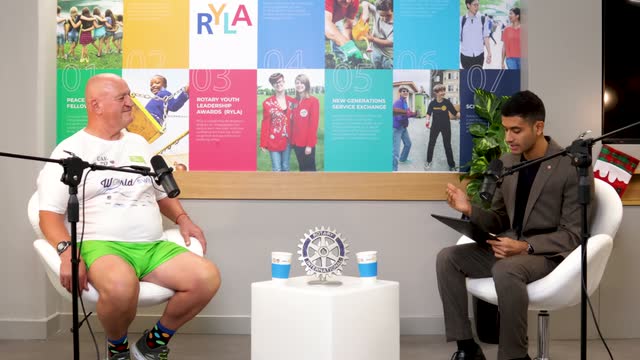 From a podcast, 27 minutes
Half a million people waited at the finish
 Ranked 6th
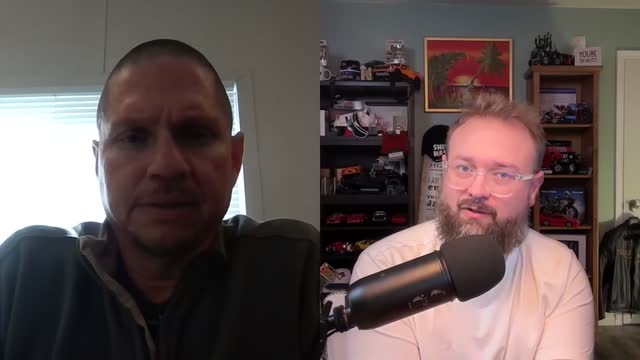 From a video call interview, 44 minutes
Trust is built by asking for help
 Ranked 4th
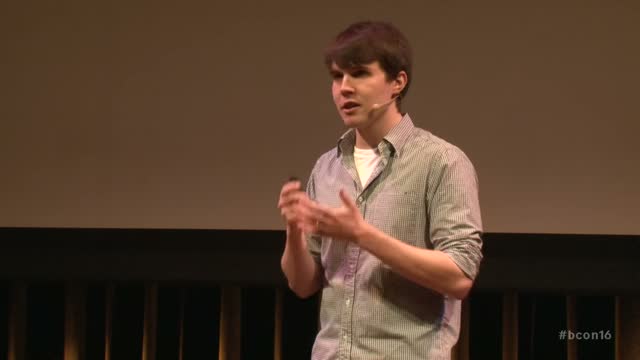 From a conference talk, 29 minutes
You hit a brick wall, then do the dishes
 Ranked 7th
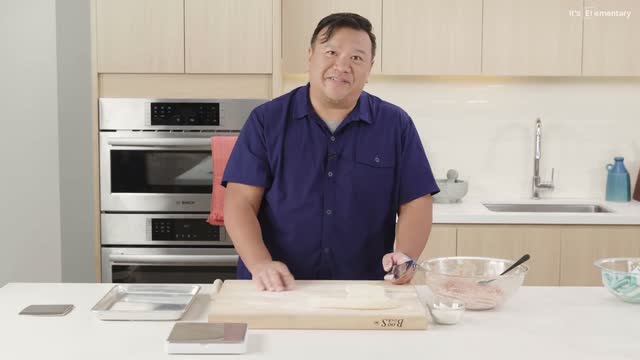 From a cooking show, 24 minutes
No pink, no red, that’s how you know
Real recordings. Their best moments.
4th to 7th
That is where Burncaps ranked these four in their own recordings. Not one was the top pick. Drop yours and see the three it would post first.
One long recording in, its best clips out
Burncaps is a browser tool that burns animated word-by-word captions into any talking video, or finds the best moments of a talk or podcast and gives them back as ranked, captioned 9:16 clips. Your video opens in the page and never leaves your device.
30 clips in 103 seconds
A 110-minute interview in, 30 ranked clips out.
-
1. Drop the recording
Up to three hours, on a phone or a computer.
How it listens
A podcast, lecture, webinar or interview, up to three hours, on a phone or a computer. A speech model in your browser writes every word with its timing; on a phone our speech service does it from the sound alone, unless you switch it off.
-
2. Get its best clips, ranked
Best first, about one for every two minutes.
How it picks
You get about one clip for every two minutes of talk, up to 30, ranked best first, the ones we would post first circled, each showing the words it opens and ends on and why it was chosen. Each starts where a thought starts and ends where the point lands. Only the words go to the AI that picks them.
-
3. Fix a word, export, post
Cut to 9:16, captioned, exported with no queue.
What each clip gets
Each clip is cut to 9:16 on whoever is talking, with ums and dead air removed, an opening card and captions in any of sixty styles. Correct a word everywhere at once, then export one clip or all of them, with no queue.
Clips
Free: up to 10 from each free video. Pro: every one.
What is free
Every clip of the whole recording is found and shown, free and with no sign-up. Each free video exports up to 10 of them, 2 videos every 30 days. The free 7-day Pro trial (no card) exports every one, and Pro, $29 a month, exports every clip of every recording, unlimited. Starter exports up to 50 clips every 30 days from its 6 videos.
Just need captions? The whole video, captioned
Captions burned in, every second kept, or press Clean up to take out the ums and long pauses.
Lengths and backgrounds
Drop any talking video up to ten minutes and 1.2 GB, on a phone or a computer, and get every second back with word-by-word captions burned in, or press Clean up to take out the ums, repeats and long pauses on your device, free on every plan. Starter and Pro caption whole videos up to three hours and 10 GB, on a phone or a computer, in their own shape. Keep your room as recorded, blur it, or put a colour, your own picture or a green screen behind you. Subtitle files (SRT, VTT, ASS and text) are free with every video up to ten minutes.
A free AI clip generator, in plain facts
Burncaps is a free AI clip generator: 2 videos every 30 days, each with captions and up to 10 clips, with no watermark and no sign-up, and the video is never uploaded. Every clip starts where a thought starts and ends on a finished point. Pro gives unlimited clips from every recording, with no credits and no minute meter, for $29 a month; try it free for 7 days, no card.
What is free?
2 videos
The detail
2 videos every 30 days, each with captions and up to 10 clips, exported with no watermark. No account and no email. Every clip in a recording is found and ranked, so you choose the 10 you keep. The free AI clip generator.
Where does a clip end?
On a point
The detail
Each clip starts where a thought starts and ends where the speaker finished the point, read from the punctuation, the pauses and the fall of the voice. It is cut to 9:16 on whoever is talking, with ums and dead air removed and captions burned in. Long video to Shorts.
How many clips with Pro?
Unlimited
The detail
Every clip from every recording up to three hours, with no credits and no minute meter (the only hours counted are our speech service's, 20 in any 30 days), for $29 a month. Try it free for 7 days, no card.
Sixty styles, all included
Every style is included in every video, on Free and on every plan. Every thumbnail below is rendered live by the engine.
Why word by word
Word-by-word highlight animation, the format proven to hold attention on short-form video, in the looks creators use most right now: keyword highlights, the native text box, words that ink in, tall capitals, a sliding underline and more.
Three questions before you start
How long can my recording be?
3 hours
The detail
Up to three hours for clips and the script, on a phone or a computer. Captions burned into the whole video take up to ten minutes and 1.2 GB on Free, and up to three hours and 10 GB on Starter or Pro, on a phone or a computer.
Do I need a card to start?
No
The detail
No card. Burncaps needs no sign-up: 2 videos every 30 days are free, each with captions and up to 10 clips. The free 7-day Pro trial asks only for an email, no card, and nothing is charged when it ends. Then Pro, $29 a month, is for clips and captions and you can cancel any time, or Starter, $11.98 a month, is for 6 videos and up to 50 clips.
Does my video get uploaded?
No
The detail
No. The video opens and is encoded in your own browser. Only the sound may go to our speech service (on a phone unless you switch it off, on a computer if you choose it or if it is too slow to listen well), and the transcript's text goes to our AI only when you choose Clips, names to spell right, a caption language or B-roll; "Keep everything on this device" keeps even that at home.
Pricing
Free: 2 videos every 30 days, each with captions and up to 10 clips, no watermark, no sign-up. Then try Pro free for 7 days, no card. Pro is $29 a month for unlimited clips and captions; Starter is $11.98 a month for 6 videos and up to 50 clips.
Free
For trying it
Includes:
- 2 videos every 30 days
- Captions on videos up to 10 minutes
- 10 clips from each video
- Clips from videos up to 3 hours long
- No watermark, no sign-up
- Your video is never uploaded
Starter
For a few videos a month
Save $24 a year
Everything in Free, plus:
- 6 videos every 30 days, each fully captioned, and up to 50 clips
- Captions on videos up to 3 hours
- Your own logo
Recommended
Pro
For unlimited clips and captions
Save $174 a year
Everything in Starter, plus:
- Unlimited videos
- Unlimited clips from every video
- B-roll on your clips
Compare every feature
| FreeFor trying it$02 videos every 30 daysNo card, no sign-up | StarterFor a few videos a month$11.98a month, cancel any timeup to 50 clips | RecommendedProFor unlimited clips and captions$29a month, cancel any time | |
|---|---|---|---|
| Clips from a long recording | 10clips from each free video | Up to 50 every 30 days | Unlimited |
| B-roll on your clips | Not on Free | Not on Starter | Stock shots over the things you name, two or three seconds each |
| Captioned whole videos | 2videos every 30 days | 6every 30 days | Unlimited |
| Every style and background | |||
| No mark on your video | |||
| Video never uploaded | |||
| Your logo and brand presets | Not on Free | Your own or a client's, and up to ten saved presets | Your own or a client's, and up to ten saved presets |
| Every clip found, ranked and shown | |||
| Framed on the face, cut clean and captioned | |||
| Longest recording for clips | 3 hours | 3 hours | 3 hours |
| Longest captioned whole video | 10 minutes | 3 hours | 3 hours |
| Translated into any of more than 60 languages | Free | With names checked | With names checked |
| Script and subtitle files | Free, without limit, up to ten minutes a recording | The whole of a recording up to three hours | The whole of a recording up to three hours |
| Devices signed in at once | No sign-up | 3 | 10 |
| Our speech service, in any 30 days | 3 hours | 5 hours | 20 hours |
| Clip finding and translation requests | A safety limit per day | 230 and 100 in any 30 days, and a safety limit per day | Higher safety limits than Starter |
| Cancel any time | Nothing to cancel | ||
| 14-day money-back guarantee | Nothing to pay | On your first payment | On your first payment |
| Every improvement, no upgrade fee | Nothing to pay | ||
| Try it free | Starter, $11.98 a month |
Speech hours count only our speech service (on phones, and on a computer if you choose it or if it is too slow to listen well). English on a computer is heard on your own device, without a limit, unless the computer is too slow to listen well.
Starter: Pay by card through Stripe. We never see your card details.
Pro: Pay by card through Stripe, billed monthly. We never see your card details.
Why it pays, on Free: you see every clip of your own recording, and post your first ones, before you spend anything.
Why it pays, on Starter: a video a week, each fully captioned, and up to 50 clips, for one price a month, not per clip and not per minute.
Why it pays, on Pro: an hour of talk gives up to 30 clips, so a weekly one-hour podcast is about 120 clips a month, each costing less than a cup of coffee with Pro.
“It is an exceptionally good product and I’m happy with it so far.”
Zaden, United States, a Starter buyer
Burncaps against the usual clip and caption tools
| What matters | Burncaps | The usual tool |
|---|---|---|
| Price | Free: 2 videos every 30 days, each with captions and up to 10 clips; then Pro, $29 a month for unlimited clips and captions, or Starter, $11.98 a month. No minute meter on clips | A monthly plan counted in minutes of video, topped up when it runs out |
| Watermark | None, on Free, in the trial or on any paid plan | Usually, from the first video |
| Your video on their servers | No. It stays on your device | Yes |
| Account | None for the free videos; the trial and the paid plans sign in with a code sent to your email, no password | Usually an account before the first video |
| Free trial | 7 days of Pro with every feature, no mark and no card, on top of the free plan | Minutes-per-month caps and a watermark |
Questions, answered plainly
How much does Burncaps cost?
Free: 2 videos every 30 days, each with captions and up to 10 clips, no watermark, no sign-up. Then try Pro free for 7 days, no card. Pro is $29 a month for unlimited clips and captions; Starter is $11.98 a month for 6 videos and up to 50 clips. Each free video is one recording: its whole video with captions burned in and up to 10 of its clips. The trial: unlimited clips and captioned videos with every feature and no mark, started with your email, no card; when it ends you are back on Free. Pro: unlimited clips from the whole of every recording and unlimited captioned videos, ten devices and 20 hours of our speech service in any 30 days, cancel any time. Starter: 6 videos every 30 days, each fully captioned, and up to 50 clips, with every style and background, captions in more than 60 languages and subtitle files, three devices and five speech hours in any 30 days, cancel any time. The three plans side by side. Paid yearly, Starter is $9.98 a month billed yearly and Pro $14.50 a month billed yearly.
Is Burncaps free?
Yes. Free is 2 videos every 30 days, each with captions and up to 10 clips, no watermark and no sign-up. Then try Pro free for 7 days, no card. Pro is $29 a month for unlimited clips and captions; Starter is $11.98 a month for 6 videos and up to 50 clips. Subtitle files (SRT, VTT, ASS and text) are free without limit for videos up to ten minutes, with no account.
Is there a free trial, and does it need a card or add a watermark?
Yes. On top of the free plan, Pro is free for 7 days with every feature: unlimited clips and captioned videos, every style and caption language, and no watermark on anything you export. It needs an email and no card, so nothing is charged when it ends, and you are back on Free: 2 videos every 30 days, each with captions and up to 10 clips. Burncaps needs no sign-up at all; the trial is offered on the home page, with the plans, on the Pro page and in the app before you reach a free limit (a third recording in any 30 days, or an eleventh clip from one recording). After the 7 days you can choose Pro, $29 a month for clips and captions, cancel any time, or Starter, $11.98 a month. One trial per email, one per browser a year, and up to three per internet connection in 30 days. The trial in full.
What is the difference between Starter and Pro?
Pro is unlimited videos and clips; Starter makes 6 videos every 30 days, each fully captioned, and up to 50 clips. Pro, $29 a month, exports unlimited clips from the whole of every recording and includes everything in Starter, with ten devices and 20 hours of our speech service in any 30 days. Starter, $11.98 a month, is for 6 videos every 30 days, each fully captioned, and up to 50 clips, on three devices with five speech hours. Both are monthly subscriptions you can cancel any time. Pro, side by side with Starter.
Can I make clips with Starter?
Yes: up to 50 clips every 30 days from its 6 videos. A seventh video in those 30 days needs Pro, $29 a month, or its free 7-day trial. A Starter plan bought before 26 October 2026 keeps exporting clips from the whole recording, as it was sold.
What is the difference between the two outputs?
The whole video keeps every second you recorded unless you press Clean up, which takes out ums, repeats, false starts and long pauses on your device, free on every plan (press it again for the video as recorded), or cut a part out on the Cut parts timeline; it burns animated captions in, and they follow every cut; you can leave your room as it was, blur it, or put a studio colour, your own picture or a green screen behind you. Clips is an edit of the talk: Burncaps finds its best moments, about one for every two minutes and up to 30, and ranks them, the ones we would post first circled, each showing the words it opens and ends on and a one-line reason. In each clip ums, stutters and dead air are cut, it starts where a thought starts and ends where the speaker finishes the point, your product names are spelled right, a 9:16 window follows whoever is talking (two people too), and an opening card carries its line. Open any clip to change its words, its card or its ending, then export one or all. You can switch between the two after the transcript arrives.
How does Clips choose the best moments?
It lists the stretches of the talk that start where a thought starts and end where the speaker finished a point, read from the punctuation, the pauses and the fall of the voice. Claude, Anthropic's AI, reads the transcript text (never the video or the sound), ranks the best of them, circles the ones it would post first, and trims each one like an editor. Ticking Keep everything on this device sends nothing: a simple rule on your device then picks runs of whole sentences of about a minute, in the order they were said, with none circled.
Can the whole video come out vertical or square?
Yes. Choose a shape for the whole video: Original, Vertical 9:16 for TikTok, Reels and Shorts, Square 1:1, or Portrait 4:5 for the Instagram feed. Follow me keeps you in frame like a calm camera operator: it stays still while you stay near the middle and moves smoothly when you step away. Fixed lets you drag the picture into place and zoom in. Fit everything shows your whole frame with nothing cut, for slides, screen recordings or two people. Every caption style and background works in every shape, and a landscape take cut to vertical is enlarged, so it is a little softer than the original.
The transcript got a word wrong. Can I fix it?
Yes. Your transcript opens as a script under the video. Click the word, type the right one, and the captions and subtitle files follow. If the same word is wrong elsewhere, one click changes them all, and this browser remembers the fix for your next video. Typing your product and company names into the names box before you start catches most of them up front.
What can I change after it listens?
Everything below changes the script and the captions without listening again, on Free, in the trial and on every plan. Correct any word, and one click changes every other place it was heard. Add words the listener missed. Cut a word by emptying it (in a clip its sound goes too). Show one to six words at a time. Drag the captions anywhere on the video and make them bigger or smaller. Set the colour of the text and of the word being said, over any of the sixty styles, or let each word appear as it is said. Names to spell right are remembered by this browser for your next video.
Can Burncaps add B-roll to my clips?
Yes, with Pro and its free 7-day trial (no card): B-roll is added by itself when you open a clip, and Add B-roll asks again on any clip. It finds up to five moments where you name something a viewer can picture (three on a half-minute clip, one more for every twelve seconds after that) and lays a stock shot from Pixabay, about two or three seconds long, over each one, full screen, with your voice and captions carrying on. Swap a shot for another one found, move it half a second earlier or later, or remove it; nothing is added until you ask. The clip's words go to our server and the AI for this, never the picture or the sound, and the shots come straight from Pixabay to your browser: your video is never uploaded.
Does my video get uploaded anywhere?
No. The model downloads into your browser; your video never leaves it. The sound goes to our speech service on a phone unless you switch it off. On a computer it goes if you choose it (for a language other than English, for a recording over ten minutes or for a closer transcript) or by itself if the computer is too slow to listen well: the page says so, and one press keeps the sound on the computer. It goes in short pieces to Microsoft's speech recognition in the EU, never the picture, and nothing is kept. Before and after an export the page makes one small check with our server, carrying a random ID for your browser and nothing from the video (it confirms your free video, trial or plan; a long recording's whole script makes the same check); if you are signed in, the message after an export also says whether it was a video or a clip, how long it was and the caption style and language, never the video, its file name or its script, so the email we send when a video is made can say what was made (with one small still picture of the finished video, captions on it, if you ticked the box for it when you signed in, not kept by us), if you ask for the ready email while a long recording is worked on, one request when it is done says what is ready, how many clips and how long the recording is (and, if you are not signed in, the address you typed, not kept; our email provider keeps each sent email 30 days), and each page asks once which price applies where you are, carrying nothing about you. The transcript text can leave only when you choose Clips, type names to spell right, choose a caption language or open a clip with Pro or its trial (for B-roll), sent to our AI to find clips, fix the names, translate the lines or find moments for B-roll; it is not stored, and ticking "Keep everything on this device" stops it. On Pro, a podcast feed you add in your account brings each new episode's published sound, from the address in your feed and never your own file, to the same speech service and our AI; its transcript and clips are kept for 30 days so they appear when you drop your file, and you can delete them in your account. When your host adds adverts to the published episode, a few 20-second pieces of your file's sound go to the same speech service to place the clips in your file. An email you type, to hear from us (we first send one email to confirm it is yours) or to send yourself this page, goes to our server and nothing else from the page goes with it. Your projects (each video with its script, clips and edits) are kept in your browser's own storage on this device, never on our server, until you delete them from your list at burncaps.app/app. With B-roll (Pro and its free trial), a clip's words go to our server and the AI, and the stock shots come to your browser from Pixabay. On a computer, you can verify all of this in your browser's network tab.
Does Burncaps use my videos to train AI?
No. Your video never reaches our servers, so we cannot keep it or train any AI on it, and we train no AI model on anything you make. When our speech service listens, the sound goes to Microsoft's fast transcription, which Microsoft says does not store it or use it to improve its speech models. When you choose Clips, type names to spell right or ask for a translation, the words go to Anthropic's Claude API, whose commercial terms say Anthropic may not train models on customer content. Several cloud editors' own terms let them use uploaded videos to train or improve AI; we read thirteen of them.
What do I need for video export?
A recent browser. Chrome or Edge on a computer is the fastest and surest, because they use the graphics chip to write the video; Firefox may save a WebM file instead of an MP4, and phones export too, more slowly. Where a browser cannot write video, you can still transcribe and download SRT, VTT or ASS files.
Which languages work?
More than 60 languages, Chinese in Simplified or Traditional: the list in Listening settings. It listens first and names the language it hears above your script, with a one-click change. Twelve Indian languages, Hindi, Urdu, Bengali, Tamil, Telugu, Gujarati, Marathi, Kannada, Malayalam, Punjabi, Nepali and Odia, can be written by our speech service (Microsoft's speech recognition, which names the language by itself and gets only the sound) or on your own device by a speech model made for each (AI4Bharat IndicConformer, open source, 138 MB once per language); a phone uses our speech service unless you switch it off, and a computer asks once which you want, unless it is too slow to listen well, when it uses the service by itself. On Google FLEURS test recordings the service got about 90 in 100 words right in Hindi, 85 to 87 in Urdu, Bengali, Gujarati and Punjabi, and 79 to 83 in Tamil, Telugu, Marathi, Kannada, Malayalam, Nepali and Odia (the full test); the on-device models got about 89 in Hindi, 84 in Bengali, 72 to 81 in most others, 68 in Nepali and 60 in Malayalam. Accuracy is best in English and the major European languages; for a strong accent, Max accuracy in Listening settings got about three times fewer words wrong in our test on Indian-accented English. Sinhala and Assamese speech is not written well by any speech model that runs in a browser yet, and Burncaps says so rather than guess; captions in them on an English video work, through Captions in. Cantonese is written by our speech service, in Hong Kong's Traditional characters; a model in the browser hears it as Mandarin, and Burncaps says so. Croatian is written in Latin letters, and Chinese (Traditional) writes Mandarin in Taiwan's Traditional characters. Pages for Hindi, Urdu, Bengali, Tamil, Telugu, Gujarati, Marathi, Kannada, Malayalam, Punjabi, Nepali, Odia, Spanish, Portuguese, Arabic, Indonesian, Tagalog, French, German.
Why is the first run slow?
The speech model downloads once (about 190 MB on a computer with a graphics chip, about 80 MB without one) and is kept by your browser. Burncaps starts fetching it the moment you reach for a file, and after the first time the words start appearing on your video within seconds. A video in one of the twelve Indian languages also downloads the model made for that language, 138 MB once, unless our speech service writes it, which needs no download at all (a phone uses it unless you switch it off); on a phone the service answers in seconds, where a phone’s own model takes minutes. The most accurate speech model is a 1.4 GB download, once.
What does Starter include, and what are its limits?
6 videos every 30 days with no mark, each fully captioned, and up to 50 clips. More videos are Pro. Video with captions burned in: up to three hours and 10 GB per file, on a phone or a computer, as in the trial (up to ten minutes and 1.2 GB on Free). A longer recording, up to three hours: its script and subtitle files from all of it; its clips are found and shown, and every one of them exports with Starter. Clip finding and translation are limited for any 30 days: 230 clip-finding requests and 100 translation requests, enough for six recordings with their clips. Five hours of our speech service in any 30 days, then your own device listens. Three devices at once. Every improvement to what Starter includes comes with it. Starter can be cancelled any time. Nothing included when you buy Starter will be moved out of it. Every limit is set out in plain words in About.
Who makes this?
Burncaps is built by Jordan Labs Ltd, a UK company (no. 17358646). No ads, no cookies, no tracking pixels. Measurement is a cookieless visit counter, anonymous step counts with no identifier and PostHog (below), listed in the privacy policy: each carries where your visit and your first visit came from and whether the page is open inside an app's own browser such as Instagram's (and there, whether our note about opening it in Chrome or Safari was shown and tapped), the ones made as a visit stays say only that our pages passed 10 seconds, 30 seconds, 2 minutes, 10 minutes or 30 minutes in view and which page the visit arrived on, and the one made when you drop a video on one of our other pages also says which page, and the ones made on our free tools say which tool and what was done there, never the file or the text; the ones made in Clips say how many clips were found, which places in the list were opened and whether the Pro offer beside them was opened; the ones made around B-roll say only how many moments were found for a clip or why none were, in a word, and which change was made to a shot; the one made when a free Pro trial starts says where on the site it was started, and the ones made while one is being started say only which step was reached; the one made when you come back from a checkout without paying says only which plan button it was, where it was and how long you were away, in four bands, and the one made when you answer “What stopped you?” says only your answer, that button and where it was; the one made around the sign-in asked for when you export says only whether it was shown, shown with a free Pro trial on offer, skipped or finished; the one made around the ready email says only whether it was asked for, sent, not needed or failed; the one made when our speech service could not be used for a recording says why in a word, and so do the ones made when an export fails or the simple rule on your device chooses the clips; the one made when your browser stops being able to read a file, or the video player refuses one, says only the stage it happened at; the ones a phone sends as each stage starts also say whether the page went out of sight while it worked, how much memory the browser says the page uses and whether an export carried on from the part a closed page had already written. The one report about a person to an advertising company: after a tap on one of our adverts on Facebook or Instagram, our server tells Meta when that page opens, when your browser's first video is started and when it is finished in that tab (neither with an email or anything from the video), and a trial start or a payment, with your email hashed (a trial started that way keeps the advert's click code until three days after it ends, so a Pro payment at its end is credited too); no Facebook script, pixel or cookie is on our pages (privacy policy). To see how the site itself is used, PostHog, our analytics service, gets the main steps, repeated clicks on one spot and, outside the European Economic Area, for some pages, a recording of how the page changed with your video, your words and your typing left out, under a code that changes every day, or a coded account ID when you are signed in; it never gets a click’s words, apart from our own published button labels, it stores nothing on your device, and you can turn it off (privacy policy). Where you sign in or start the free trial in Chrome, Edge and other Chromium browsers, Continue with Google can replace the emailed code: no Google script runs on our pages, Google’s own sign-in window opens only when you press it, Google tells us which email it has checked is yours, and we keep only that email (privacy policy). Paying customers are the entire business model: Pro, a monthly plan with unlimited clips, and Starter, a small monthly plan for a few videos a month.
What you can change, and what it does not do
What you can change after it listens
Read it
All of this changes the script and the captions without listening again, on Free, in the trial and on every plan. Correct any word by clicking it, and one click changes every other place the same word was heard. Add words the listener missed. Cut a word by emptying it (in a clip its sound goes too). Show one to six words at a time. Drag the captions anywhere on the video and make them bigger or smaller. Set the colour of the text and of the word being said, over any of the sixty styles, or let each word appear as it is said. Type the names to spell right, and this browser remembers them, and every fix you made everywhere at once, for your next video. Phones export too, more slowly.
What it does not do
Read it
It takes a file, not a link: there is no pasting a YouTube address. It does not post to your accounts: you get files. It has no team seats. No stock music, and no clips stitched together from different parts of a talk: each clip is one stretch of it. B-roll comes with Pro and its free 7-day trial: open a clip and stock shots from Pixabay are laid over it where you name something a viewer can picture; switch B-roll off and none is asked for. Captions on the whole video work on recordings up to ten minutes, or up to three hours on a paid plan. Clips takes a recording up to three hours, on a phone too. Export is fastest in Chrome or Edge on a computer; many phones export too, more slowly.
Burncaps facts, checked 13 November 2026
What it is: a browser tool that burns animated word-by-word captions into a talking video, or finds the best moments of a talk, podcast or interview and gives them back as ranked, captioned 9:16 clips.
Who it is for: clipping software for podcasts, interviews, webinars and other long talking videos: drop a recording of up to three hours (up to 10 GB once it runs past ten minutes), on Free or any plan, and every clip in it is found and ranked.
Price: free for 2 videos every 30 days, each one recording with its captioned video and up to 10 clips, no watermark and no sign-up; then the free 7-day Pro trial, no card (your email only); then Pro, $29 a month, gives unlimited clips and captioned videos, or Starter, $11.98 a month, gives 6 videos every 30 days, each fully captioned, and up to 50 clips.
No one-time price: Burncaps is sold only as a subscription, by the month or by the year. There is no one-time price, no pay-once plan and no lifetime deal. The one-time sale of Starter ended on 8 November 2026. If you paid once before then, you keep what you bought, for good.
Pro’s price: one flat price, $29 a month, for unlimited clips and captioned videos, with no credits or minute packs to buy; the only hours it counts are our speech service’s, if you use it (20 in any 30 days with Pro), within daily and 30-day safety limits on AI requests.
Long recordings: captions burned into a whole video go up to three hours and 10 GB on a paying plan (Starter or Pro) and in the free trial, on any phone or computer whose browser can write the MP4; on Free, up to ten minutes and 1.2 GB.
Where it runs: in the browser on Windows, Mac and Chromebook, with nothing to install, and the video never leaves the device.
Privacy: the video never leaves your browser. The sound goes only to our speech service, on a phone unless you switch it off, on a computer if you choose it or if it is too slow to listen well. Because the video never reaches us, we cannot keep it or train AI on it, and we train no AI on anything you make. On a computer, open your browser's network tab while it works and check.
Speed: 8.8 min to hear 90 minutes of English on the device, on a 2020 MacBook with 8 GB of memory (5 October 2026).
Free plan in numbers: 2 recordings every 30 days. Clips from a recording up to three hours long: every clip found and ranked, and 10 from each recording exported at 1080 x 1920 with captions, no watermark and no account (a phone short of memory may drop to 720p). An export is a file on your device, so it never expires.
Independent test: ShortStack ran the same video through the free AI clipping tools and wrote that Burncaps "was the only free option that gave us clips with no watermark and no account" (shortstack.tools, read 10 November 2026).
Files: MP4 or MOV in, MP4 out. Captions on the whole video: up to ten minutes on Free, up to three hours on a paid plan, on a phone or a computer. On iPhones, a whole video over ten minutes has been tested in the iPhone simulator on a Mac (16 minutes at 1080p), not yet on a real iPhone. Clips: up to three hours, on a phone or a computer. SRT, VTT, ASS and text files are free without limit for recordings up to ten minutes; a longer recording, up to three hours, gives its script and those files (the first ten minutes free; all of it with one of your free videos, in the trial or on a paid plan) and its clips (every one found and shown to everyone, free; up to 10 exported with each free video, and every one, unlimited, in the trial or with Pro).
Clips: about one clip for every two minutes of talk, up to 30, ranked, the ones we would post first circled, each showing the words it opens and ends on and the reason it was chosen; each cut to 9:16 with ums and dead air removed, an opening card and captions, framed on whoever is talking (auto reframe with speaker tracking). Every clip of the whole recording is found and shown, free and with no sign-up; each free video exports up to 10 of them; Starter exports up to 50 clips every 30 days from its 6 videos, and the 7-day trial and Pro export every clip, unlimited.
Languages and styles: captions in the language spoken, twelve Indian languages heard on your device, translation into more than 60 languages, 60 caption styles.
After it listens: correct any word (one click changes it everywhere), add or cut words, one to six words at a time, position, size, text and highlight colours, and names this browser remembers, all free and without listening again.
Made by: Jordan Labs Ltd, UK company no. 17358646. No account to try it, no ads, no tracking pixels.
Against other tools: sixteen caption tools compared, from the vendors' own pages.
Drop your next recording
Free: 2 videos every 30 days, each with captions and up to 10 clips, no watermark, no sign-up. Then try Pro free for 7 days, no card. Pro is $29 a month for unlimited clips and captions; Starter is $11.98 a month for 6 videos and up to 50 clips.
- No watermark
- Free, no sign-up
- Video never uploaded