Published . Updated . We make Burncaps, one of the eight tools here, so read this as a rival's list: every rival fact was read on its maker's own page on 24 November 2026 and links to it.
Key takeaways
- Nobody publishes a reliable count of which editor most YouTubers use, so be wary of any page that names one winner. What can be said: the same few tools come up again and again, and each wins a different job.
- To record and post on a phone with nothing else, the YouTube app's Shorts camera is free and built in; YouTube's help page says Shorts can be up to 3 minutes with its multi-segment camera.
- For editing on a phone, CapCut is the common pick; its pricing page lists a free plan and Pro at £21.99 a month in the UK.
- For editing on a computer, Premiere Pro costs US$22.99 a month on an annual plan, DaVinci Resolve is free (its Studio version is $295 once), and Final Cut Pro is $299.99 once on a Mac.
- To cut Shorts out of long videos you already film, AI clippers such as OpusClip and Burncaps find the moments, reframe to 9:16 and add captions. We make Burncaps; it is free for 2 videos every 30 days, each with captions and up to 10 clips, no watermark, no sign-up and no card.
- The tool matters less than the workflow: a hook in the first seconds, cuts on every pause, captions burned in, nothing important under the app's buttons.
The short answer: what YouTubers use to make Shorts
Ask ten Shorts creators what they use and you will hear the same names in different combinations. Beginners and many daily posters film and post straight from the YouTube app or edit in CapCut on the same phone. Channels with an editor tend to cut in Premiere Pro, DaVinci Resolve or Final Cut Pro on a computer, the same programs they use for long videos. And channels that already record long podcasts, interviews or talks increasingly let an AI clipper find and cut the Shorts, then touch them up.
So the useful question is not "which one do most people use" but "which one fits how you make videos". That is how the eight below are ordered.
What software do most YouTubers use to edit?
There is no public census. YouTube does not publish which editors its creators use, and the surveys that circulate online are small, self-selected or run by a company selling one of the tools. Any page that tells you "most YouTubers use X" is guessing, including pages written by editing companies.
What is visible: on a computer, the professional editors that come up most are Adobe Premiere Pro (part of Adobe's subscription), DaVinci Resolve (free, with a paid version) and Final Cut Pro (Mac only, bought once). On a phone, CapCut is the name that comes up most for short-form editing. Each is covered below, with its price read today on its maker's page.
The honest advice: if you are starting, pick the free option that runs on what you already own (DaVinci Resolve on a computer, CapCut or the YouTube app on a phone) and learn it properly. Switching editors later is easier than you think; learning to cut well is the hard part.
At a glance: eight tools for making YouTube Shorts
| Tool | Best for | Runs on | Price, as its page states | Captions | Learning curve |
|---|---|---|---|---|---|
| YouTube app | Record and post on a phone | Phone | Free, built in | Text and effects; captions not described | Minutes |
| CapCut | Editing on a phone | Phone, computer, browser | Free; Pro £21.99 a month | Auto captions, called free | Hours |
| Premiere Pro | Editors already in Adobe | Computer | US$22.99 a month, annual plan | Not stated on its plans page | Weeks |
| DaVinci Resolve | A free professional editor | Computer | Free; Studio $295 once | Subtitles shown; details not stated | Weeks |
| Final Cut Pro | Mac editors who want to own it | Mac, iPad | $299.99 once on Mac | Transcribe to captions | Days |
| OpusClip | Many Shorts a week from long videos | Browser (uploads) | Free tier; Starter $15, Pro $29 a month | AI captions; templates watermarked on free | Minutes |
| Burncaps (ours) | Clips from a talking video, not uploaded | Browser, phone or computer | Free 2 videos every 30 days; Pro $29 a month | Word by word, 60 styles | Minutes |
| Descript | Cutting by the transcript | Computer, browser | Free 60 media minutes; Hobbyist from $16 | Dynamic captions on every plan | Hours |
Sources: YouTube Help, "Create a YouTube Short", CapCut pricing (shown in pounds), Adobe Premiere plans, Blackmagic Design, DaVinci Resolve, Apple, Final Cut Pro, OpusClip pricing, Descript pricing, each read on 24 November 2026. Learning curve is our own judgement, not a vendor claim. Burncaps' lines come from its own code.
How to choose: four kinds of Shorts maker
You film on your phone and post the same day
Stay on the phone. The YouTube app's camera is enough for a talk-to-camera Short with music and text; CapCut when you want tighter cuts, styled captions and more control. Moving footage to a computer is where daily habits die.
You already edit long videos on a computer
Use the editor you know. Premiere Pro, DaVinci Resolve and Final Cut Pro all edit a vertical 1080 x 1920 timeline. The extra work for Shorts is reframing, tighter pacing and captions, and the caption step is the one most worth speeding up.
You record long podcasts, interviews or talks
This is where AI clippers earn their place. Finding the few moments worth a Short in an hour of talk is slow by hand; a clipper reads the transcript, proposes ranked moments, reframes them on the speaker and captions them. You still choose and polish. OpusClip and Burncaps are both built for this; the difference that matters most is whether your footage is uploaded.
You think in words, not timelines
Descript lets you cut video by deleting words in its transcript, which suits people who script, interview or teach. It is slower than a clipper for finding moments and faster than a timeline for tidying speech.
1. The YouTube app Shorts camera: Best for recording and posting on a phone
Free, already installed, and the shortest path from idea to published Short. In the YouTube app you tap Create, then Short, and hold the capture button to record; YouTube's help page says Shorts can be up to 3 minutes long with its multi-segment camera, and the length can be changed before recording. After recording you can add music, sounds, filters, effects and text-to-speech, then a title of up to 100 characters before you upload. The page also mentions a Get feedback option that analyses your hook and pacing, and a maximum upload resolution of 1080p.
Limits. The help page does not describe trimming on a timeline or automatic captions inside the Shorts camera. For anything beyond a simple talk-to-camera Short you will want an editor.
Pick it if speed matters more than polish. Skip it if you want burned-in word-by-word captions or precise cuts. Our step-by-step for the whole process is how to make YouTube Shorts.
Source: YouTube Help, "Create a YouTube Short", read on 24 November 2026.
2. CapCut: Best all-round phone editor for Shorts
CapCut is the phone editor short-form creators mention most, with a computer and browser version too. Its auto caption page calls it an all-round free auto-captioning app, with captions in multiple languages, language detection and translation, and export at the resolution you choose. Its pricing page, shown to us in pounds, lists Free at £0 with templates and basic tools, Pro at £21.99 a month or £199.99 a year, and a 7-day trial for new users with no credit card required.
Limits. The pricing page does not say which features are on the free plan beyond templates and basic editing, so expect some tools to ask for Pro. Its terms are worth reading if your footage is sensitive; we summarised them in is CapCut safe.
Pick it if you edit on your phone. Skip it if you want to keep footage off another company's servers. Alternatives for the caption step are in CapCut alternatives for captions.
Source: CapCut auto caption generator, CapCut pricing (shown in pounds), read on 24 November 2026.
3. Adobe Premiere Pro: Best for editors already working in Adobe
Premiere Pro is the industry editor many professional YouTube editors learned on. Adobe's plans page lists Premiere for individuals at US$22.99 a month on an annual plan billed monthly, Creative Cloud Pro (all of Adobe's apps) at a promotional US$29.99 a month (regularly US$69.99), and a 7-day free trial for individuals.
For Shorts, its strength is everything around the cut: sequences at 1080 x 1920, the same project as the long video, Adobe's other apps for graphics and sound. The plans page we read does not describe its caption features, so we leave them unstated here; our Premiere Pro captions guide covers that workflow.
Limits. A subscription for as long as you use it, and a real learning curve. The FAQ on the same page listed different figures from its plan table when we read it, so check the price at checkout.
Pick it if you or your editor already work in Adobe. Skip it if you are starting from nothing and want to spend nothing.
Source: Adobe Premiere plans, read on 24 November 2026.
4. DaVinci Resolve: Best free professional editor
DaVinci Resolve is the free answer to Premiere Pro. Blackmagic Design's page lists DaVinci Resolve 21 as free, says the free version works with virtually all 8-bit video formats, and sells DaVinci Resolve Studio for $295, paid one time. Its edit page shows an image captioned "Subtitles and Closed Captioning", without saying which version includes what.
Resolve is famous for colour, and its editing, sound and effects pages are in the same program. For Shorts that means one free tool from raw footage to export, if you are willing to learn it.
Limits. It wants a capable computer, and its depth is a lot for a 30-second Short. Our DaVinci Resolve subtitles guide covers adding captions in it.
Pick it if you want a professional editor for nothing. Skip it if you edit on a phone or an older laptop.
Source: Blackmagic Design, DaVinci Resolve, read on 24 November 2026.
5. Final Cut Pro: Best for Mac editors who want to own their editor
Final Cut Pro is Apple's editor for Mac and iPad. Apple's page lists Final Cut Pro for Mac at $299.99 as a one-time purchase, says it generates captions by analysing spoken audio with a "transcribe to captions" option, and offers Apple Creator Studio at $12.99 a month or $129 a year, which includes Final Cut Pro for iPad, with a 30-day free trial.
Bought once, it is the cheapest professional editor over a few years, and it runs well on Apple silicon. Built-in transcription to captions is a real time saver for Shorts.
Limits. Mac and iPad only. Captions from transcription are plain unless you style them yourself; see does Final Cut Pro have auto captions.
Pick it if you are on a Mac and dislike subscriptions. Skip it if anyone on your team uses Windows.
Source: Apple, Final Cut Pro, read on 24 November 2026.
6. OpusClip: Best for many Shorts a week from long videos you upload
OpusClip is the best-known AI clipper: upload a long video, get Shorts with captions back. Its pricing page lists a Free tier with AI captions, animated caption templates marked "with watermark", media that expires after 3 days, local uploads up to 10 GB and export up to 1080p; Starter at $15 a month (media kept 29 days); and Pro at $29 a month (uploads up to 30 GB, public MP4 links, 100 GB of storage). The page does not state how many minutes or credits each plan includes in the text we read.
Limits. Your video is uploaded to its servers, free captions carry a watermark, and usage is metered. We compared its plans in detail in OpusClip pricing and is OpusClip free.
Pick it if you clip several long videos a week and want posting and scheduling in one place. Skip it if uploading the footage is a problem.
Source: OpusClip pricing, read on 24 November 2026.
7. Burncaps: Best for clips from a talking video without uploading it
We make Burncaps. It does the clipper's job in your browser: drop a long talk, podcast or interview, and it finds the best moments (about one for every minute or two of talk), ranks them, circles the ones we would post first and says why, then cuts each to 9:16 framed on whoever is talking, with ums and dead air taken out, an opening card and word-by-word captions in any of 60 styles. Or it captions the whole video, unchanged unless you press Clean up.
Free is 2 videos every 30 days, each with captions and up to 10 clips, no watermark, no sign-up and no card. Starter is $11.98 a month for 6 videos and up to 50 clips; Pro is $29 a month for unlimited clips and captions, from recordings up to six hours. The video file never leaves your browser; the facts block at the end of this page says exactly what does.
Limits. It works on talking video, not gameplay or montages without speech. It does not post to your channels: you get files. Pasting a YouTube link is part of Pro; on the free plan you drop the file. A slow computer takes longer and the tab has to stay open.
Pick it if you want clipper speed without uploading footage, or captions only. Skip it if you need scheduling and posting from the same tool.
Burncaps' lines come from its own code and its pricing page, 24 November 2026.
8. Descript: Best for cutting a talking Short by its transcript
Descript turns your recording into a document: delete a sentence in the text and it is gone from the video. Its pricing page lists a Create Clips tool among its AI tools, dynamic captions on every plan, and a Free plan with 60 media minutes a month, 720p export and no watermark-free export. Hobbyist is $16 a person a month billed yearly or $24 monthly; Creator is $24 billed yearly or $35 monthly.
Limits. Free exports are watermarked and 720p. It is an editor first; finding the best moments in an hour still takes reading.
Pick it if you write, interview or teach and think in sentences. Skip it if you want ready-made Shorts handed back. See Descript alternatives.
Source: Descript pricing, read on 24 November 2026.
The Shorts workflow, step by step
Whatever tool you use, the Shorts that hold people follow the same seven steps.
- Write the hook first. The first line decides whether anyone stays. Say the payoff or the problem in the first sentence, not your name.
- Record vertical. Shorts are 9:16; 1080 x 1920 is the usual frame, and YouTube's help page names 1080p as the maximum upload resolution for Shorts. If you only have landscape footage, reframe on the face rather than shrinking it with bars: horizontal to vertical video.
- Cut every pause. Take out ums, repeats and dead air. A Short with no gaps feels faster at the same length. Our guides to jump cuts and filler words show how.
- Burn in captions. Many viewers scroll with the sound off, and a caption that lights up word by word keeps the eye on the screen. Pick one style and keep it for your channel.
- Check the safe zone. The Shorts player draws its title, channel name and buttons over the bottom and right of the frame. Keep captions and faces clear of them; our safe zone checker shows where.
- Title it. YouTube's help page allows a title of up to 100 characters. Say what the Short is about in words a viewer would search.
- Upload. YouTube's help page says Shorts can be up to 3 minutes with the multi-segment camera. Shorter is not automatically better; finished is better.
Source: YouTube Help, "Create a YouTube Short", read on 24 November 2026.
The caption step: where most Shorts time goes
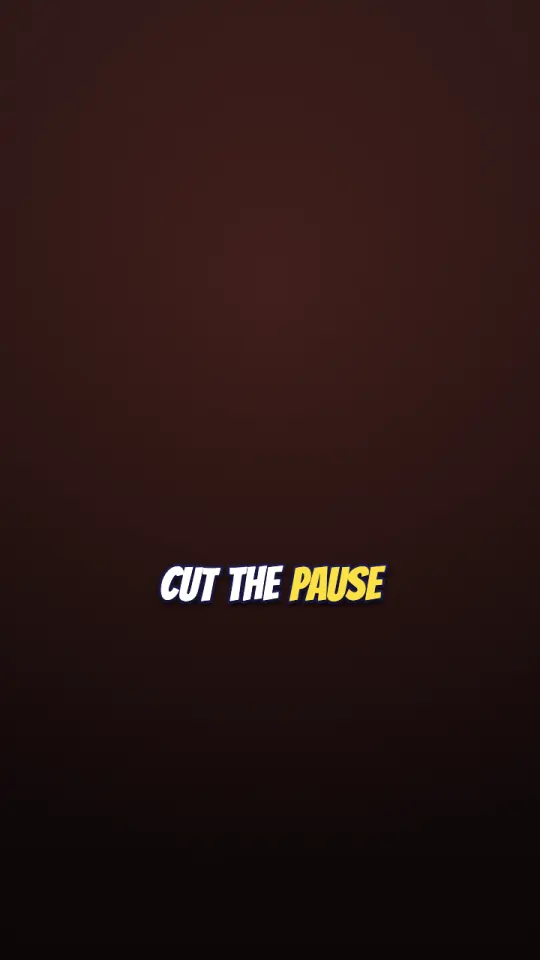
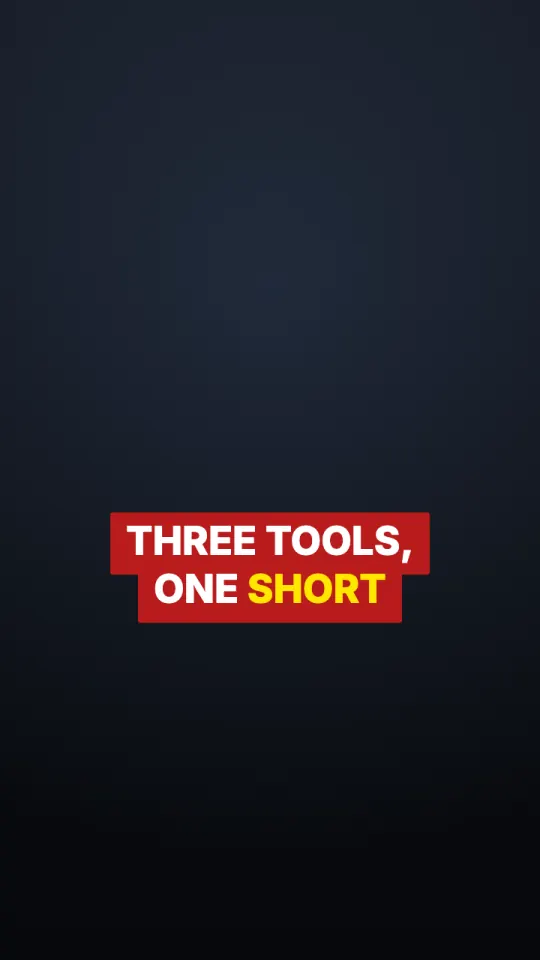
Editors who make Shorts by hand will tell you the cut is quick and the captions are slow: typing or correcting every word, breaking lines, timing each one, styling the active word. That is why caption tools exist as their own category. The two frames below were drawn by Burncaps' caption engine (the same code that burns your export) on a plain frame: one style bounces each word in, the other sits on a bar like a news ticker.
More styles, and when each one helps, are in our guide to caption styles for Shorts.
Making Shorts from your long videos
If you already publish long videos, your best Shorts are probably already filmed. The process is the same whatever tool does it: find moments that make sense on their own (a complete point, a strong opinion, a surprising fact), start each on the first word of the thought and end on the payoff, reframe to the speaker, caption, and post a few a week.
By hand, that means watching or reading the whole transcript. AI clippers read the transcript for you and propose the moments, which is where they save the most time. Read what any clipper picks before posting: the tool does not know your audience the way you do. There is more in long video to Shorts and YouTube clip maker.
Five mistakes that make Shorts harder than they need to be
- Editing the Short like a trailer. One clear idea is easier to follow than five quick ones.
- Captions under the buttons. The bottom of the frame belongs to the app. Raise them.
- Letterboxed landscape footage. Bars waste most of the screen; crop to the face instead.
- A slow first second. No intro, no logo sting, no "hey guys".
- Switching tools every week. Pick one workflow, post consistently, change one thing at a time. If views are the worry, read why are my Shorts not getting views.
How we chose and checked these eight
We started from the questions people ask ChatGPT about making Shorts and editing for YouTube, then picked the tools that answer them for different kinds of creator. Every price and feature for a rival was read on its maker's own page on 24 November 2026, signed out, and is linked under its section; where a page does not say something, we say so. Nobody paid for a place, and none of these companies saw this page before it was published. The page is checked again by 24 December 2026.
What Burncaps does not do
Burncaps is not a full editor: no multi-track timeline, transitions, colour grading or music library. It does not post or schedule. It works on talking video. Captions on a whole video stop at ten minutes on the free plan, and clips come from recordings up to six hours. Pasting a link is part of Pro.
Questions, answered
What do YouTubers use to make Shorts?
Most use one of three kinds of tool: the YouTube app's own Shorts camera (free), a phone editor such as CapCut, or a desktop editor such as Premiere Pro, DaVinci Resolve or Final Cut Pro. Creators who film long videos also use AI clippers such as OpusClip or Burncaps to cut Shorts out of them. Prices read on each maker's page on 24 November 2026.
What software do most YouTubers use to edit?
No reliable public count exists, so any single answer is a guess. The editors that come up most are Adobe Premiere Pro (US$22.99 a month on an annual plan), DaVinci Resolve (free, with a $295 paid version) and Final Cut Pro ($299.99 once on a Mac), with CapCut most common on phones. Prices read on each maker's page on 24 November 2026.
What do professional YouTubers use to edit videos?
Professional editors mostly work in Premiere Pro, DaVinci Resolve or Final Cut Pro, because those handle long projects, colour and sound in one place. For Shorts they often add a caption tool or an AI clipper to save time on the repetitive steps.
What is the best free app to make YouTube Shorts?
For recording and posting, the YouTube app itself. For editing on a phone, CapCut's free plan. For a free desktop editor, DaVinci Resolve. For captioned Shorts cut from a long talking video, Burncaps is free for 2 videos every 30 days, each with captions and up to 10 clips, no watermark, no sign-up and no card.
How long can a YouTube Short be?
YouTube's help page, read on 24 November 2026, says Shorts can be up to 3 minutes long with its multi-segment camera, with a maximum upload resolution of 1080p.
Do I need captions on YouTube Shorts?
Not required, but many viewers scroll with the sound off, so burned-in captions help a Short make sense without sound. Keep them clear of the buttons the Shorts player draws over the bottom and right of the frame.