Podcast to Shorts, automatically: one episode in, ranked Shorts out
Updated
Drop the video file of a 30 to 120 minute episode and Burncaps listens to all of it, finds the best moments and cuts each one into a captioned 1080 x 1920 Short, framed on whoever is talking, ranked, with the ones we would post first circled. The episode is read from your own device and never leaves your browser.
- Video never uploaded
- Framed on whoever speaks
- No watermark
Every clip below was cut, framed and captioned by Burncaps from a real recording. Credits
 Ranked 4th
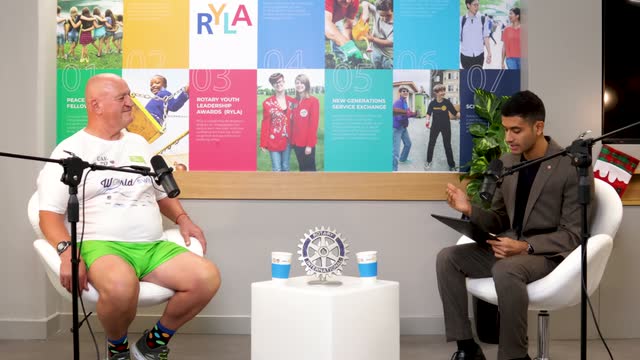 From a podcast, 27 minutes
Half a million people waited at the finish
 Ranked 6th
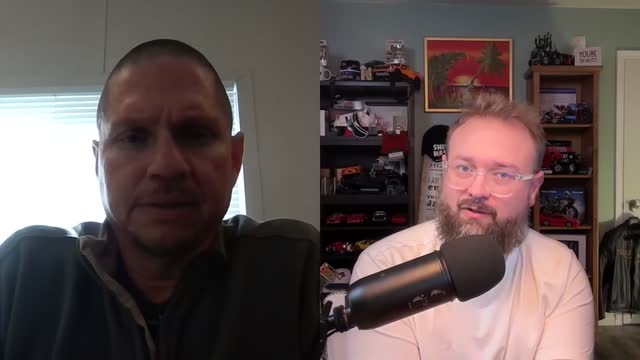 From a video call interview, 44 minutes
Trust is built by asking for help
 Ranked 4th
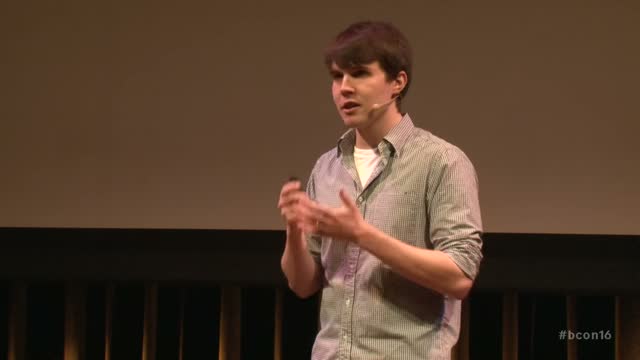 From a conference talk, 29 minutes
You hit a brick wall, then do the dishes
 Ranked 7th
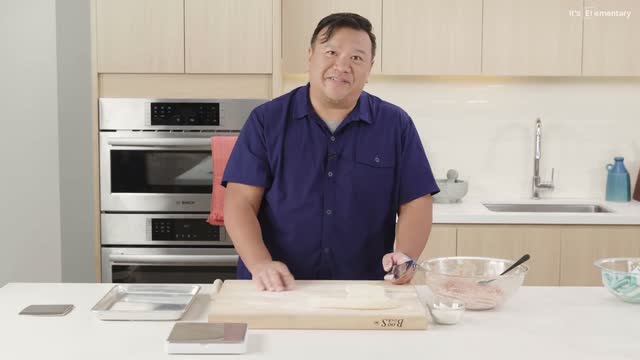 From a cooking show, 24 minutes
No pink, no red, that’s how you know
What a 30 to 120 minute episode gives you
Burncaps finds about one clip for every minute or two of talk, up to 30 (with Pro, every one found: about 100 from three hours), best first. Every clip of the whole episode is found and shown on every plan, with no sign-up; what changes from plan to plan is how many you export.
| Episode | Clips found | Exported free | Exported with Pro |
|---|---|---|---|
| 30 minutes | About 15 | Up to 10 | All of them |
| 1 hour | Up to 30; with Pro, every one found | Up to 10 | All of them |
| 2 hours | Up to 30, the best of the whole episode; with Pro, every one found | Up to 10 | All of them |
Said plainly: the free plan clips a whole one or two hour episode, but its captioned whole video is free only up to ten minutes. A captioned copy of the full episode, as one long video, needs Starter or Pro, which caption a whole video up to six hours long.
How long it takes, measured: on a 2020 MacBook with 8 GB of memory, 90 minutes of English were heard on the device in 8.8 minutes (5 October 2026); then finding 30 ranked clips in the transcript of a 110-minute interview took 103 seconds (1 November 2026).
Made for the way podcasts are filmed
The frame follows the speaker
Many video podcasts are a wide shot of two or more people. When you open a clip, Burncaps looks for who is talking and its 9:16 frame cuts to whoever is speaking, or shows both side by side.
Clips that end on the point
Burncaps only offers stretches that start where a thought starts and end where the speaker finished the point, and the AI pick never ends a clip on a question, so it stops on your guest's answer. Ums, stutters and dead air are cut.
Names spelled right
Type the names that come up on the show, your guest's, your sponsor's, your own, and the script spells them right in every caption. This browser remembers them for next week's episode.
An audio-only podcast gives words, not Shorts
A Short is a picture, so clips are cut from the episode's video. If your show is audio only, Burncaps gives its script and SRT, VTT and text files instead, for show notes or subtitles: free for the first ten minutes, all of an episode up to six hours as one of your free videos, in the trial or with a plan. To make Shorts, save the video of the recording: the export from Zoom, Riverside, StreamYard or your camera.
Free software that clips a podcast into Shorts
We make Burncaps, so read this as a rival's summary. Each line comes from the tool's own page, read on 24 November 2026, and says what its free plan allows; for every paid plan, see the best podcast clip makers compared.
| Tool | Free plan, from its own page | A long episode on the free plan |
|---|---|---|
| Burncaps (ours) | 2 videos every 30 days, each with captions and up to 10 clips, no watermark, no sign-up; the video file stays on your device | Clips found in a recording up to six hours; up to 10 exported |
| OpusClip | Animated captions with a watermark on its free plan; an account; free media kept 3 days | Local video up to 10 GB |
| Vizard | 60 credits a month; a watermark (removal is on its paid plans); export at 720p | Its uploads are capped at 60 minutes and 1 GB; its exports at 10 minutes |
| Descript | 100 AI credits once; clip making marked Limited; exports at 720p with a watermark | 60 media minutes a month |
| FunClip | Free, open-source software (MIT licence) published by ModelScope on GitHub; you install it with Python and use it in your browser on your own computer | No limit stated; you choose the lines to clip, or paste an API key for a language model to choose them |
Read on 24 November 2026 at opus.pro/pricing, vizard.ai/pricing, descript.com/pricing and FunClip's README on GitHub (modelscope/FunClip). FunClip's README describes clips with SRT subtitles and does not describe a 9:16 crop. Plans change; check each page before you choose.
How to turn a podcast episode into Shorts
- Save the episode as a video file, MP4 or MOV, up to six hours and 20 GB: the export from Zoom, Riverside, StreamYard or your camera.
- Drop it on Burncaps and choose Clips. It listens to the whole episode, on your device or with our speech service.
- Read the ranked list: about one clip for every minute or two of talk, up to 30 (with Pro, every one found: about 100 from three hours), the ones we would post first circled, each showing the words it opens and ends on.
- Open a clip to correct a word, cut one or change the frame, and type the names to spell right, your guests' among them.
- Export: each clip is a captioned 9:16 MP4 with the ums and dead air cut. Upload it to YouTube Shorts, Reels or TikTok yourself.
What a weekly show costs
| Plan | Shorts from your episodes | Price |
|---|---|---|
| Free | 2 episodes every 30 days, each with its captioned video and up to 10 of its clips, no watermark | Free, no sign-up |
| Starter | 6 episodes every 30 days, each fully captioned, up to 50 clips, and each episode's whole script and subtitle files | $11.98 a month |
| Pro (Recommended) | Every clip of every episode exported, unlimited, up to six hours; ten devices for a team | $29 a month, cancel any time |
A weekly one-hour show is four or five episodes a month, more than Free's 2. Starter's 6 cover them with up to 50 clips; Pro exports every clip found. Pro can be tried free for 7 days: the trial asks for a card or UPI, charges nothing for 7 days and can be cancelled any time.
What it does not do
Burncaps does not record your podcast, take links from Spotify, schedule posts, or stitch one clip together from several parts of the show. It cuts clips from a video file you already have; on the free plan it does not fetch a link. If you need those things, a cloud editor is built for them and we are not.
Questions, answered plainly
What free software can clip my podcast into Shorts automatically?
Burncaps, which we make, does it in your browser from the episode's video file: it listens to the whole episode, finds the best moments and cuts each into a captioned 1080 x 1920 Short framed on whoever is talking. Free: 2 videos every 30 days, each with captions and up to 10 clips, no watermark, no sign-up. OpusClip, Vizard and Descript have free plans with a watermark, and FunClip is free, open-source software you install yourself. Each fact was read on the tool's own page on 24 November 2026.
Can I clip a one or two hour podcast for free?
Yes, from its video file. Burncaps finds and ranks the clips of the whole episode, up to six hours, with no sign-up, and a free video exports up to 10 of them. Captions on the whole episode as one video are free up to ten minutes, so a captioned copy of a full one or two hour episode needs Starter or Pro. Pro, $29 a month, exports every clip, unlimited.
Can it make Shorts from an audio-only podcast?
No. Clips are cut from the video. An audio file gives its script and SRT, VTT and text files instead, for show notes or subtitles: free for the first ten minutes, all of an episode up to six hours as one of your free videos, in the trial or with a plan.
Does it work for a podcast with two people?
Yes. When a clip is opened, Burncaps looks for who is talking and its 9:16 frame cuts to whoever is speaking, or shows both side by side, so a wide shot of two people at a table becomes a vertical clip. The AI pick never ends a clip on a question, so a clip stops on the answer, not on the next question.
Do I have to upload my podcast?
No. The episode file is read in place from your device and the clips are cut and exported in your browser. The sound goes to our speech service only on a phone unless you switch it off, or on a computer if you choose it or if it is too slow to listen well, and the transcript text goes to Claude only to find the clips, check names and, when you ask, find moments for B-roll, never the video. A link is part of Pro: on Free, drop the file. The one exception is a link you paste instead of a file: it is fetched by our server, which deletes its copy within six hours.
Keep reading
Podcast clip maker · Best podcast clip makers compared · Long video to Shorts · Free AI clipper, no sign-up · Podcast editing software · Podcast transcription · How to start a video podcast · What is a video podcast · How to make YouTube Shorts · YouTube Shorts captions · Pro
Burncaps facts, checked 24 November 2026
What it is: a browser tool that burns animated word-by-word captions into a talking video, or finds the best moments of a talk, podcast or interview and gives them back as ranked, captioned 9:16 clips.
Price: free for 2 videos every 30 days, each one recording with its captioned video and up to 10 clips, no watermark, no sign-up and no card; then the 7-day free Pro trial (add a card or UPI, nothing charged for 7 days, cancel any time); then Pro, $29 a month, gives unlimited clips and captioned videos, or Starter, $11.98 a month, gives 6 videos every 30 days, each fully captioned, and up to 50 clips.
Privacy: the video never leaves your browser. The sound goes only to our speech service, on a phone unless you switch it off, on a computer if you choose it or if it is too slow to listen well. To find clips in a long recording, our speech service may send the sound to DeepInfra in the United States, which keeps none of it. Because the video never reaches us, we cannot keep it or train AI on it, and we train no AI on anything you make. The one exception is a link you paste instead of a file: it is fetched by our server, which deletes its copy within six hours.
Files: MP4 or MOV in, MP4 out. Captions on the whole video: up to ten minutes on Free, up to six hours on a paid plan, on a phone or a computer. On iPhones, a whole video over ten minutes has been tested in the iPhone simulator on a Mac (16 minutes at 1080p), not yet on a real iPhone. Clips: up to six hours, on a phone or a computer. SRT, VTT, ASS and text files are free without limit for recordings up to ten minutes; a longer recording, up to six hours, gives its script and those files (the first ten minutes free, all of it as one of your free videos, in the trial or with a plan) and its clips (every one found and shown free, up to 10 exported with each free video, and every one, unlimited, in the trial or with Pro).
Clips: about one clip for every minute or two of talk, up to 30 (with Pro, every one found: about 100 from three hours), ranked, the ones we would post first circled, each showing the words it opens and ends on and the reason it was chosen; each cut to 9:16 with ums and dead air removed, an opening card and captions, framed on whoever is talking. Every clip of the whole recording is found and shown, free and with no sign-up; each free video exports up to 10 of them; Starter exports up to 50 clips every 30 days from its 6 videos, and the 7-day trial and Pro export every clip, unlimited.
Podcast clips: from the episode's video file, up to six hours and 20 GB: ranked, captioned 9:16 clips framed on whoever is talking, made in your browser.
Made by: Jordan Labs Ltd, UK company no. 17358646.